Monday, November 3, 2014

Fuji X20 versus X30 JPEG at 800iso ***UPDATED***

Lots of controversy on this. Imaging Resource has released first shots on the X30 (just the standard lighting still life series) and people are comparing them heavily and rendering a lot of opinions (as have I.)

The problem is that it is easy to make mistakes (comparing NR1 against NR3D at any given ISO) and things look a little different depending on the level of calibration of your monitor and the quality of the panel. And since the majority of people continue to buy cheap crappy TN panels and the vast majority continue to work on monitors with no attempt at calibration at all, the actually value of most opinions on the forums is somewhere between zero and nil.

Of course, that doesn’t stop anyone from chiming in based on their own agenda … so the beat goes on. And on. And on.

So let me add to the cacophony on these two cameras. But first, let me cut to the chase: the image quality differences in JPEG are almost not worth discussing. I had thought that there were significant differences, but in fact they aren’t that obvious at the highest truly usable ISO the camera can handle – 800. After that, you are getting into web images only, or you are lowering your standards. Not that big a deal, because sometimes you just have to get the shot and raising ISO is the best way to do that in really low light.

Anyway … here are a number of crops from the IR 800 ISO images at NR1. A matching pair … and so labeled.

If you are on a decently calibrated monitor, you won’t see much difference at all. And the majority of the differences actually favour the X20. Slightly smoother background / shadow noise, and sharper details like the striped lettering and the tick marks on the wheel. All in all, I would give the nod to the X20 at 800 ISO. YMMV.

EDIT: The image was uploaded to Picasa automatically by Microsoft Essentials Writer and it got completely mangled. Very sorry about that. I have rehosted on my own server, as I should have done in the first place. The price of being a bit lazy.

800iso_jpeg_crop_x20vsx30

Wednesday, October 29, 2014

Thursday, October 9, 2014

Future Shop – Deep, systemic incompetence …

I used to like Future Shop. They have a good price matching policy and the selection, while bland and leaning to the cheaper crap, is adequate for when I want to look at items before buying. And I do buy at Future shop now and again because it is convenient to my location.

So I needed to replace my slightly damaged and very slow performing card reader and found a nice and known to be very fast reader on their site. I checked a few other sites and Future Shop won because their shipping was lower.

Only there is one problem … they defaulted my shipping address to a city 1200 miles from my home because I once sent a single package there. They display the ship to address in small text in a larger page and do not call it out in a way that it is noticeable. I surely would have changed the ship to address had it been visible to me, since 1200 miles away does me very little good.

So when they sent me the shipping confirmation, where they finally do display the address prominently, I thought I’d swallowed a bug! I was and still am livid that their horrible (I’ve documented issues before) web site had effectively screwed me.

Of course I sent a message through their internal contact page to ask for a reroute. But their incredibly unhelpful response was that I could not file a lost package claim (I was not trying to) and to attempt to visit the location to retrieve the package. Now, is it just me, or does the addition of a $600 to $700 flight to retrieve the package tilt the balance to other vendors just a bit? After all, we are now comparing $5 against $600+ instead of the initial $2 they charged to send it 1200 miles away.

To add the kick in the jewels, they mentioned that I should change my default address (which I did not set in the first place) so I went in afterwards and tried that. It threw errors and failed. So as far as I know, it was not changed. Bumbling fools, they are.

I ended up responding to the email from them (not all that kindly, I must say) and then filed another request for a reroute through their contact page, outlining to them these facts:

  • I would never make a location 1200 miles away my default shipping address. That is their bug.
  • Their checkout process never shows the address in a way that it does not just blend in. That is their bug.
  • They have no analytics to ask “are you sure about that address?” That is just plain lazy.

So I pin this cockup squarely in the camp of their incompetent web designers. Adding their seemingly incompetent support into the mix and we have a perfect storm of raining fecal matter.

Needless to say, Future Shop will be the last company I order from for the foreseeable future.

Tuesday, October 7, 2014

Direct Flash versus Diffused Flash … what difference?

There are lots of articles out there that explain diffused flash ad nauseum. I’m not going to get very fancy here, but I have a pair of shots I took some weeks ago that I think illustrate the value of diffusing your flash better than most comparisons I have seen.

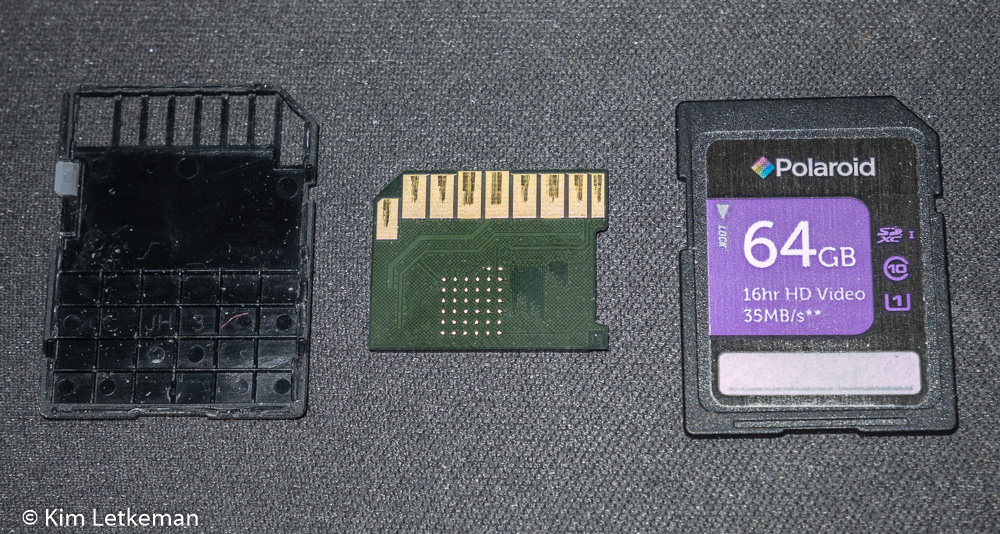
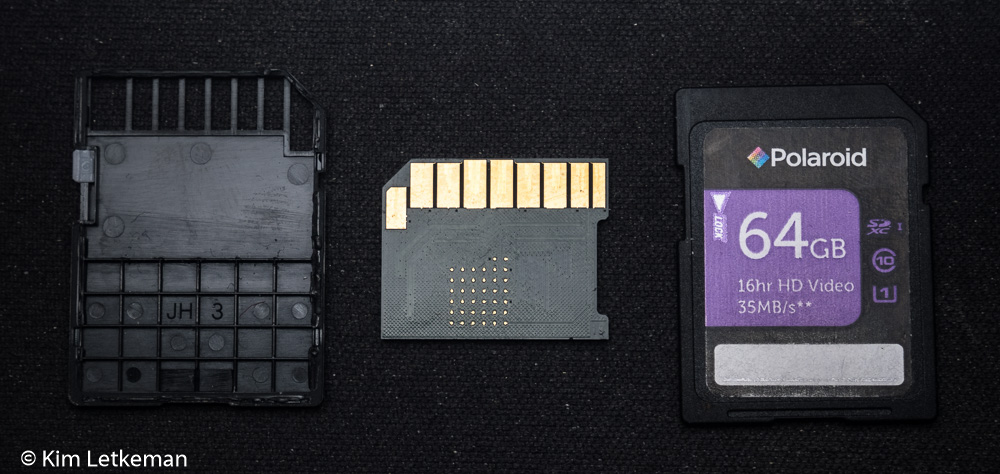
So I had to photograph a broken SD card to send to PNY for a replacement. See my previous article for pictures of the very satisfying replacements.

I used the GM1 as it is always handy and it focuses close enough to do justice to almost any product shot. And the kit lens is wicked sharp.

I shot a flash image that turned out ok …

The image is sharp and detailed, but the washed out and flattened tones are unpleasing to the eye. The reflective surfaces cause serious problems, but even surfaces that should not be all that reflective – the palm rest on which the pieces sit for example – are washed out. All in all, I thought I could do better.

I thought about how to diffuse the flash and decided to go old school. I grabbed a sheet of inkjet paper out of the printer and held it awkwardly to block the flash completely, but angled in a way that would catch a lot of light on much of the sheet. This had the effect of creating a very low power but huge lit area very close to the subject. And the result is magnificent when compared with the above … at least in my opinion.

Pretty hard to argue with that, although the more direct angle should have been a bigger issue than the more “angled angle” above :-) yet was no problem except on the contacts on the actual chip, which of course reflected the light back at similar intensity. But I’ll take that on most subjects, since the overall lighting is so much more pleasing.

This is why we bounce our flashes or put some form of diffuser on. Or shoot through a translucent umbrella etc. You will not regret modifying your flash in this way.

PNY – Great customer service!

I bought four 64GB PNY Polaroid cards last year at Newegg I believe it was. I needed them in order to record a concert that my son and friends put on at the Saw Gallery here in Ottawa. Things went very well and the cards performed flawlessly, recording over 90m at up to 60Mbps (GH2) without any spanning issues at all.

Since then, I have swapped them in and out of bodies at will and had no issues with them.

Until this year, when two of them fell to pieces several months apart. I tried taping them together, but this was very unsatisfactory, especially considering they were not exactly dirt cheap (although the 45 bucks per card did not hold and they are somewhere around 60 bucks now.)

I sent an email to PNY with this photograph and I explained that two had fallen apart. They responded in only hours with an RMA number and a label. Nice …

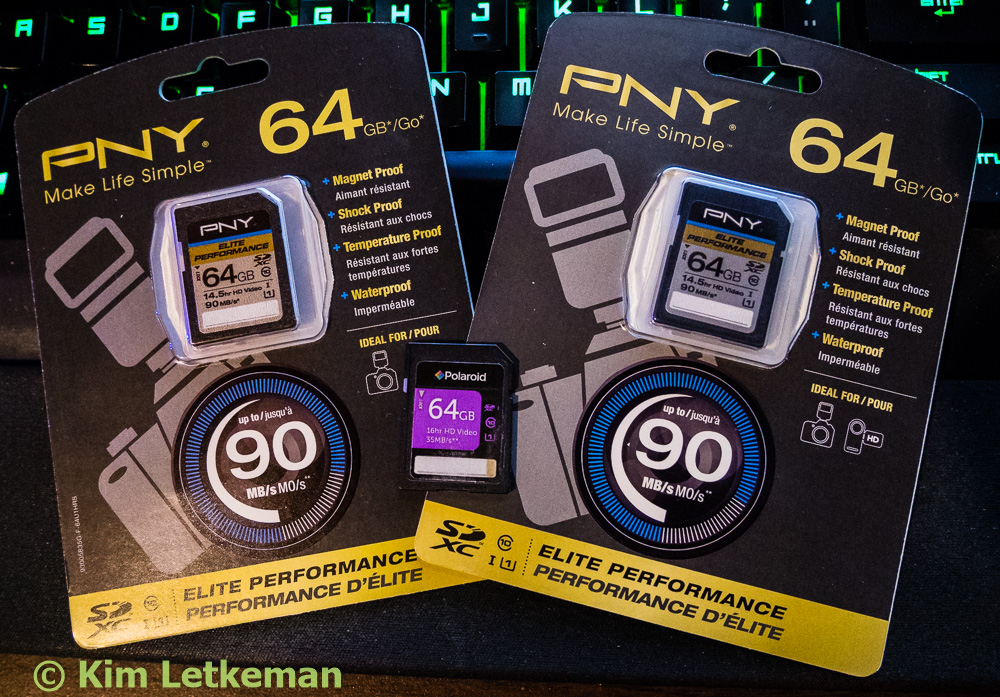
So barely 3 weeks later, a package arrives from New Jersey containing these two replacements:

Elite Performance cards?! Seriously???

I expected at best their Performance series cards, and at worst a pair of exact replacements.

What a wonderful surprise. These cards are amazing, I hope Smile

I think PNY are definitely the good guys.

Monday, October 6, 2014

Fuji S1 versus HS50EXR – Review Part 30 – SDXC compatibility …

There is a bug in the assigning of “date modified” time stamps in the HS50EXR as documented here:

http://www.dpreview.com/forums/post/53618315

In short, for SDXC cards that are formatted in camera, the capture time is correctly set but the file creation time is incorrectly set by –13 hours. A silly error in the firmware that does not appear to have ever been fixed.

So I thought it worth a very quick test to see if the S1 has that bug.

And it does not.


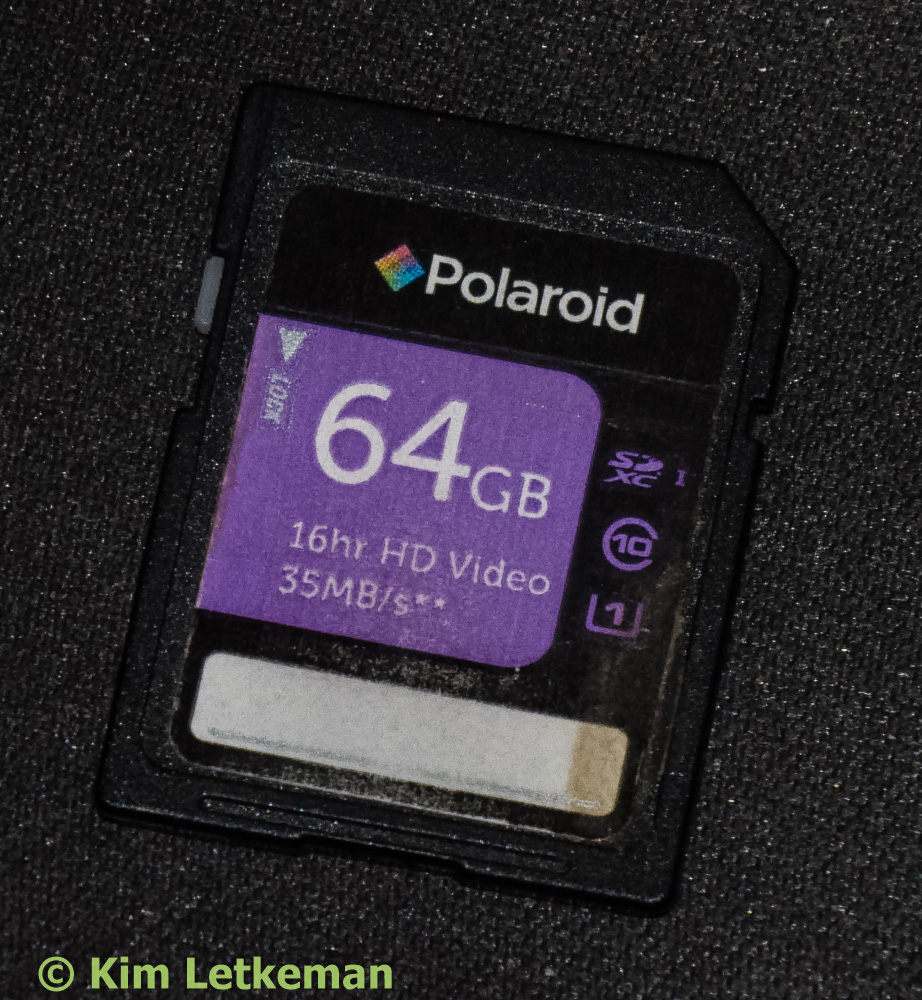
I loaded each camera with this card:

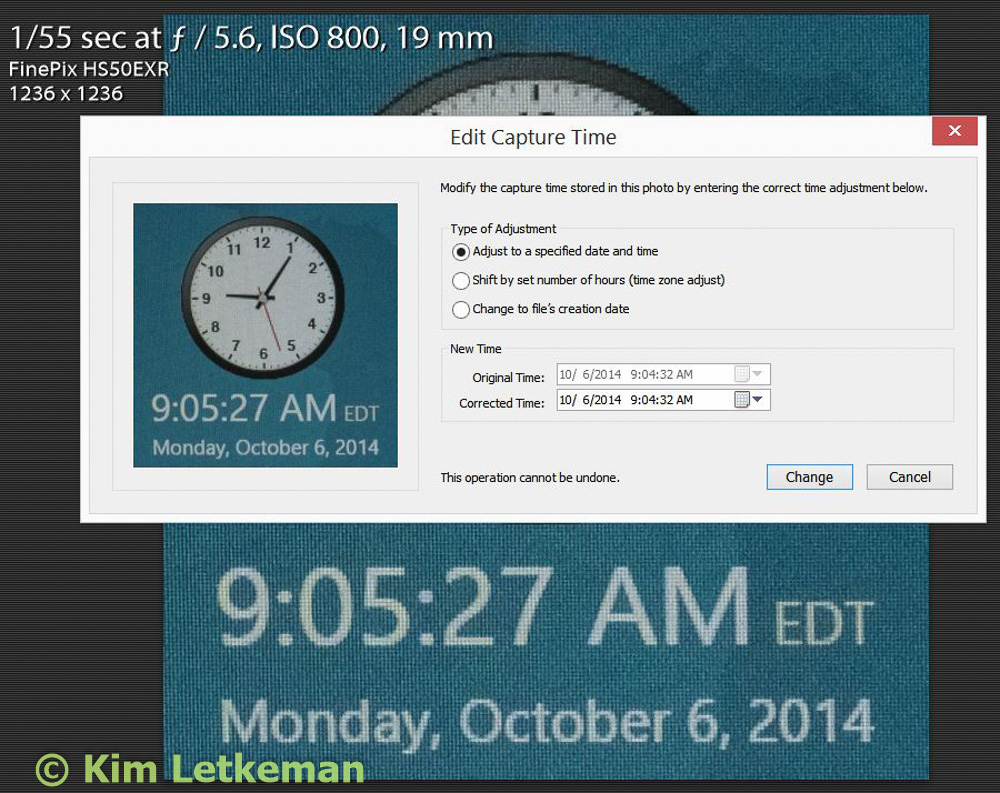
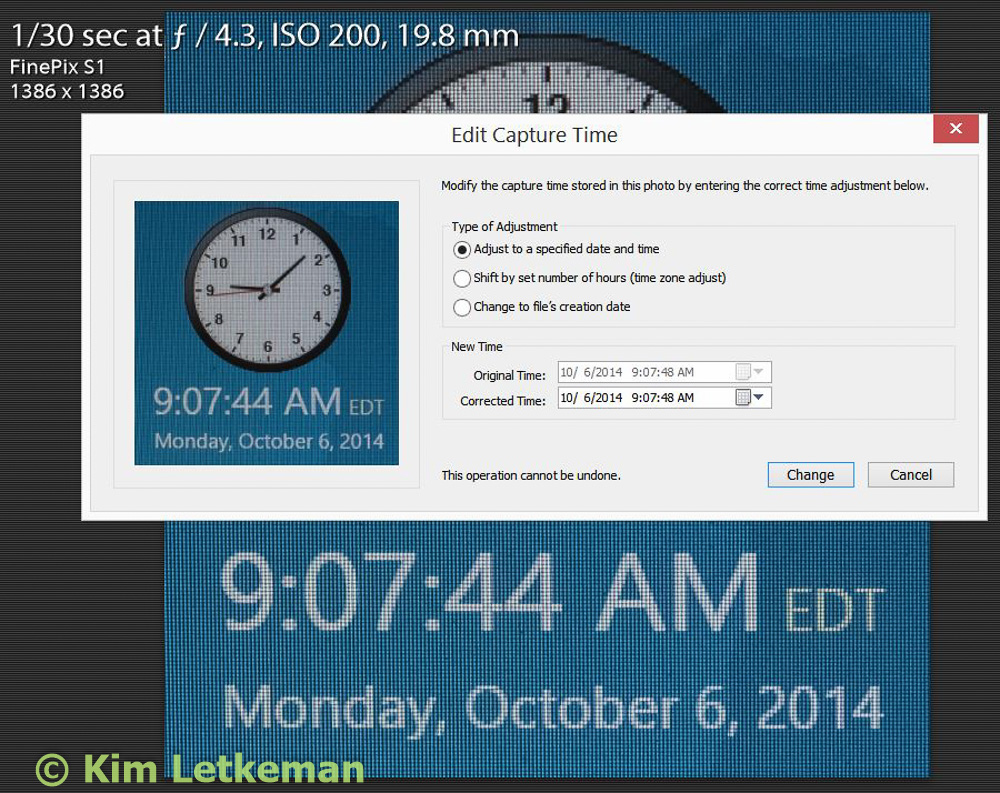
With each camera, I shot an image of my favorite current time site. I show here the HS50EXR first and then the S1.

The capture times came out fine …

But then we look at the RAF files in explorer, and we see the problem …

image

The HS50 gets the file creation time wrong but the S1 does not.